






A dashboard any attorney can read in seconds
Some context: The Casely Group manages websites and marketing for U.S. law firms. Their clients invest heavily in both, but the data that shows whether it works lived in separate tools (hosting, SEO audits, call tracking, form submissions) and was full of technical jargon.
- Problem
- Without a single view, a firm couldn’t tell what was working and what needed attention.
- Solution
- A client-facing web dashboard that brings website, SEO, speed, call and lead data together, each number with a clear status and a short explanation.
- My role
- I led the product and designed it end to end (information architecture, data visualization, UI and one reusable component system), and led the 6 developers who built it.
- 3 monthsfrom kickoff to launch
- 6developers led
- 30+law firms using it today
Goals
What the dashboard had to do
- One source of truthBring web, SEO, speed, call and lead data into a single dashboard for each firm.
- Plain-language metricsPair technical scores like RES, LCP and CLS with a clear status and a short explanation.
- Attention at a glanceUse color-coded status and trends so what needs attention stands out without reading every number.
- Built to scaleServe many firms with a client switcher and one consistent, reusable component system.
Architecture
Eight modules, one sidebar
The navigation mirrors the questions a firm asks: is my website healthy and fast, where are my leads and calls coming from, and what has happened lately. A firm switcher at the top lets the team move between clients without losing their place.
- 01Overview
A snapshot of web, leads and SEO metrics.
- 02Web Development
Site health and technical performance.
- 03Speed Insights
Real Experience Score and Core Web Vitals.
- 04Call Tracking
Incoming calls and where they come from.
- 05Leads
Every lead with its source, date and status.
- 06Reports
Periodic summaries of the firm’s results.
- 07Social Media
How the firm’s social channels perform.
- 08Email Templates
AI-assisted newsletters, personalized per recipient.
Key decisions
How I thought about it
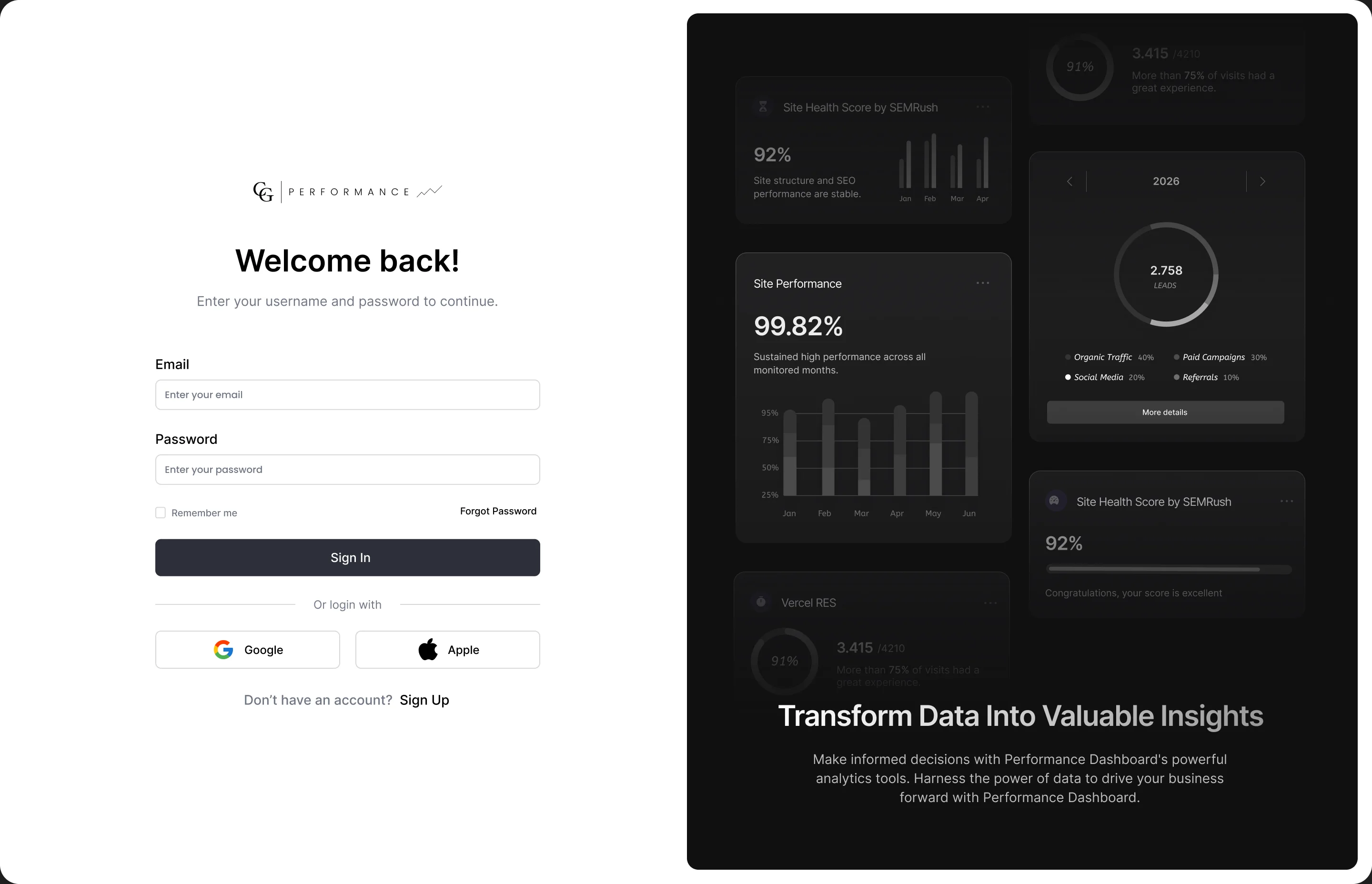
01A focused front door
A calm sign-in with email, Google or Apple. The right side previews real dashboard cards, so the first thing a client sees is the value: their data turned into insights.
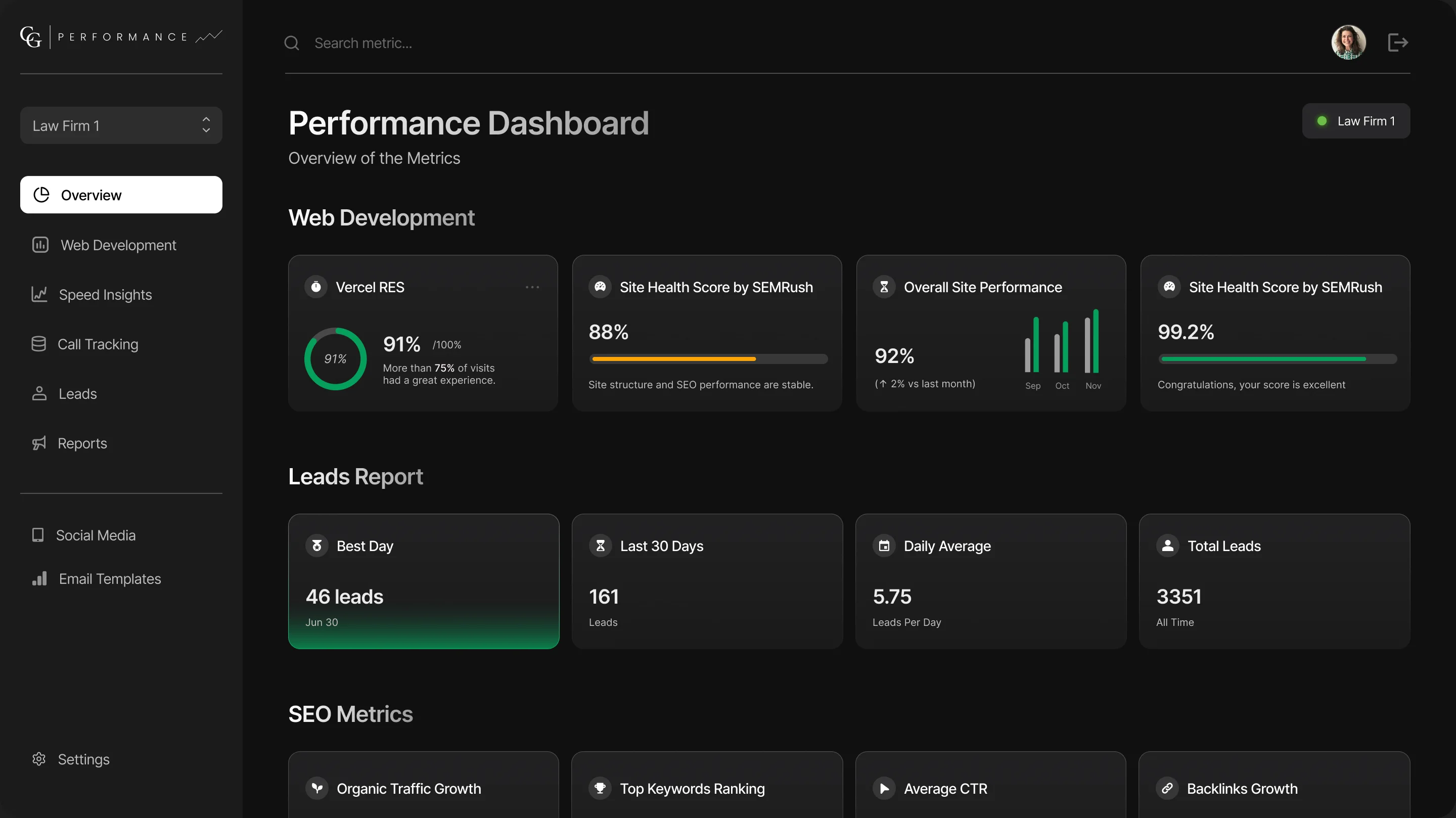
02“How are we doing?” in seconds
Metrics are grouped the way a firm thinks about them: Web Development, Leads Report and SEO Metrics. Every card follows the same pattern: one number, its context and a status color.
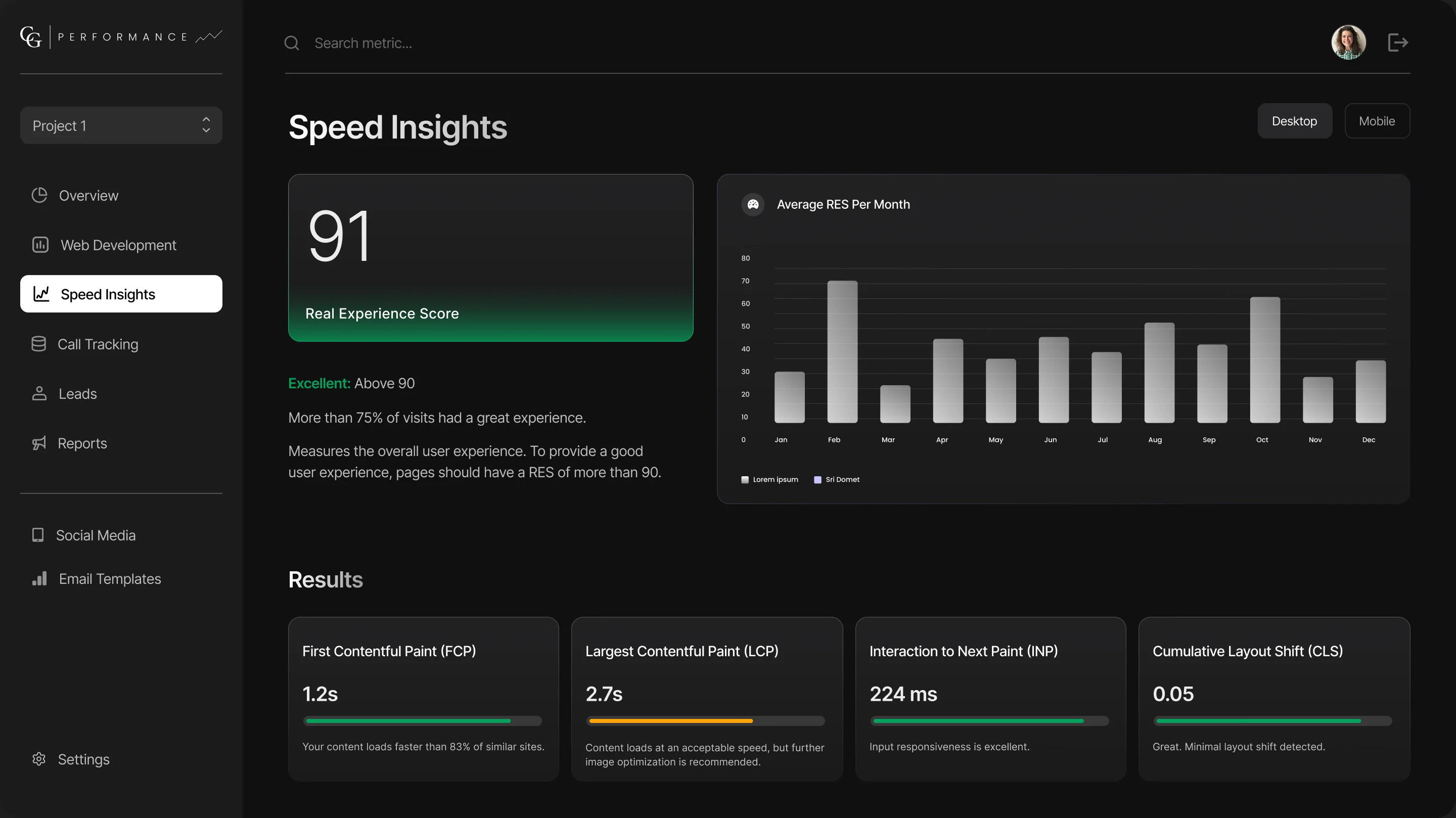
03Technical scores, explained
The Real Experience Score sits front and center with a plain-language verdict (“Excellent: above 90”), a monthly trend, and the four Core Web Vitals, each with a progress bar and a one-line explanation.
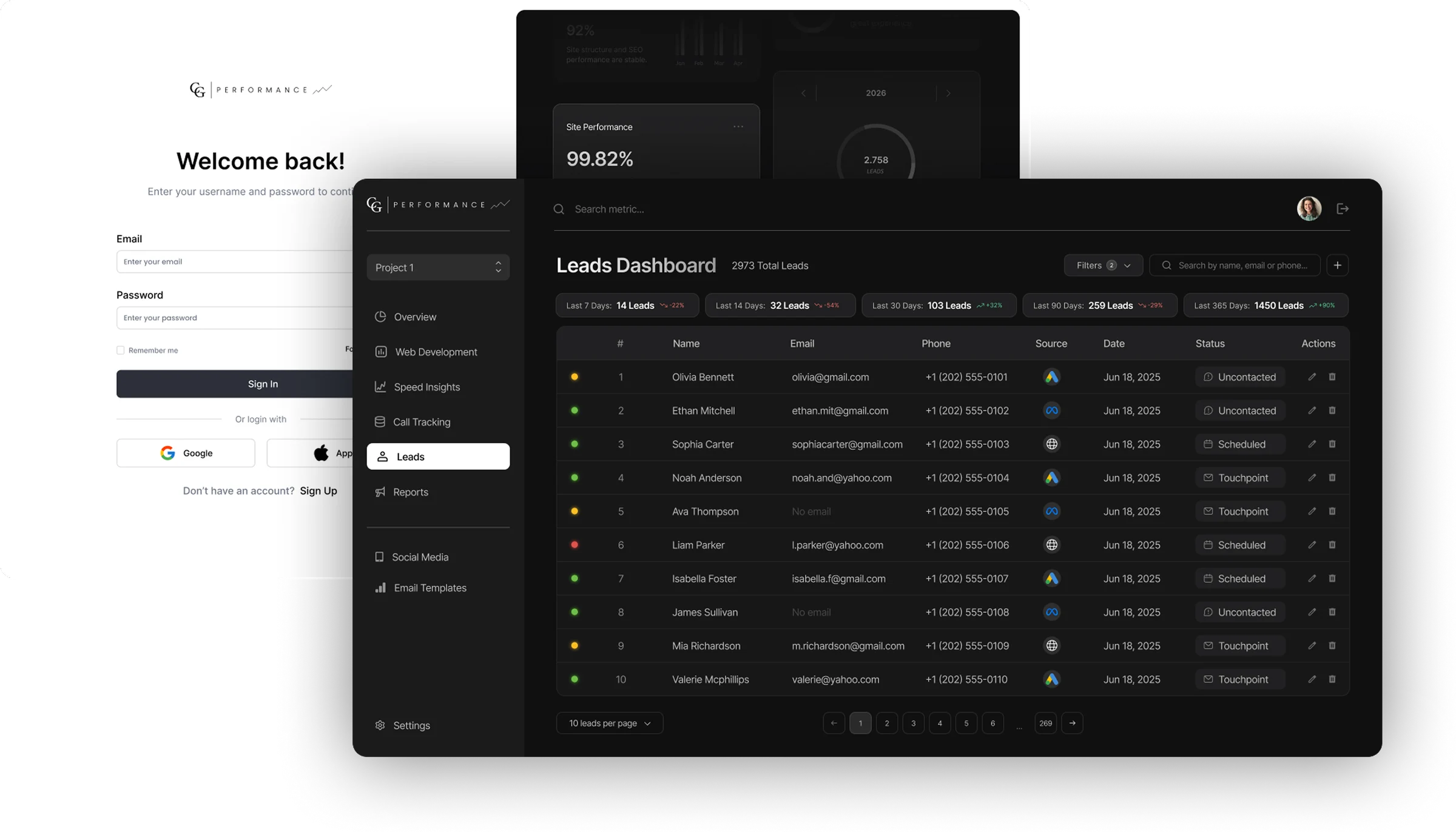
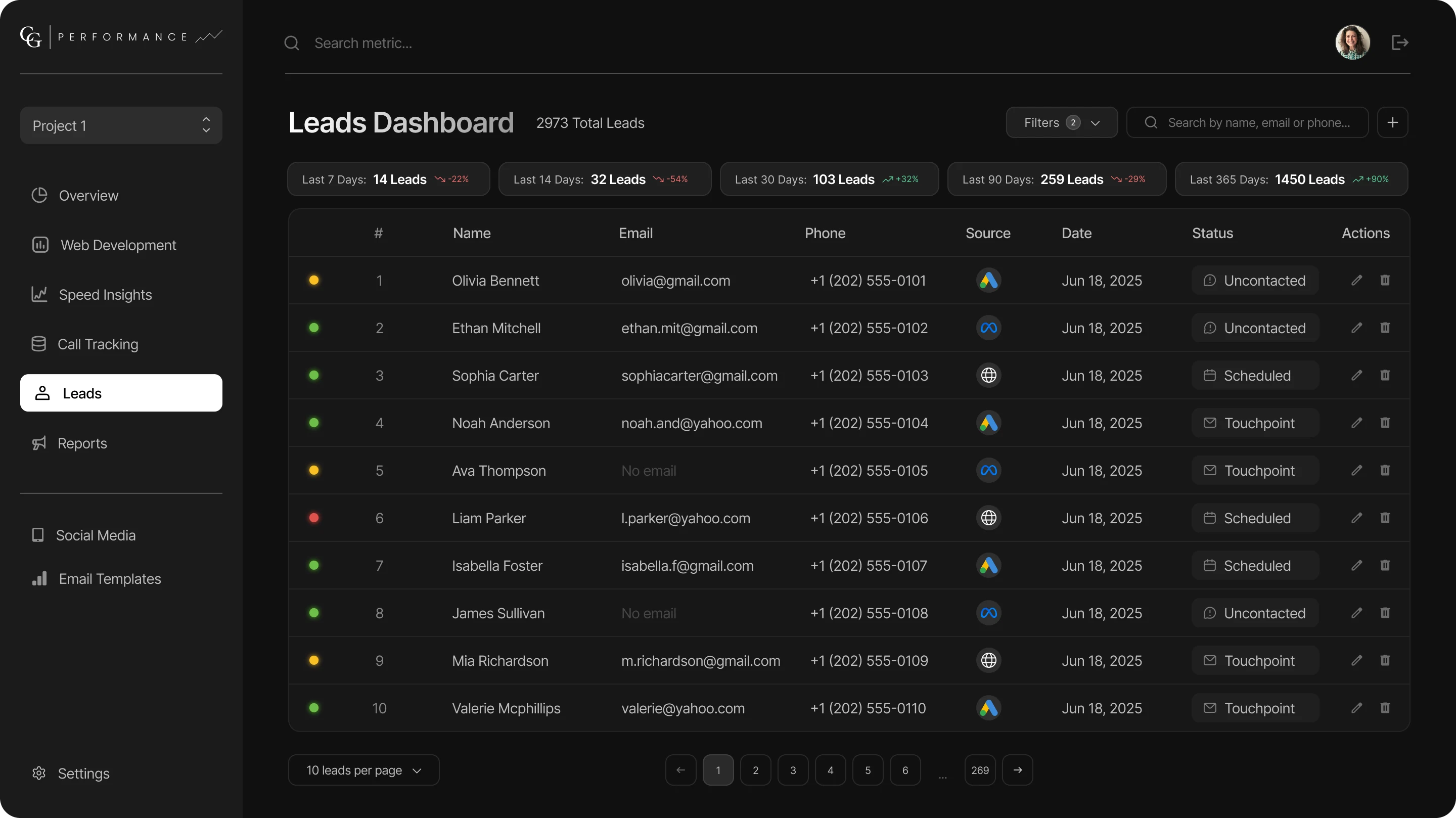
04Every lead, in one table
A dense but scannable table: a status dot, contact details, source icons (Google Ads, Meta, organic), date and quick actions, with filters, search and pagination for firms with thousands of leads.
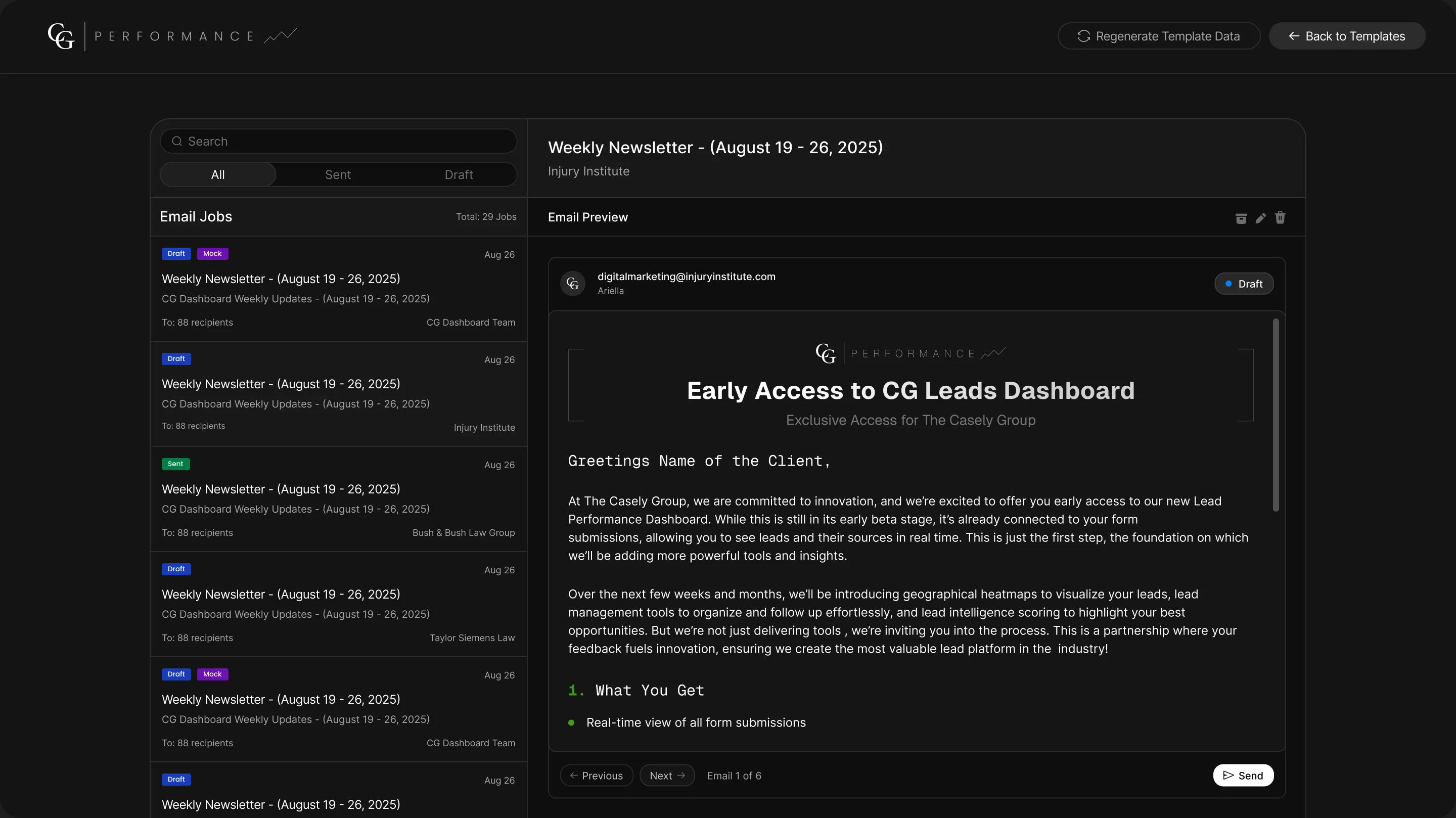
05Weekly updates, personalized at scale
An internal tool for the team: browse email jobs by status, preview each personalized email, then edit its merge fields, including the AI-generated introduction, before sending.
Outcome
In use by 30+ law firms
In 3 months, the dashboard went from idea to a live product. Today more than 30 law firms use it to see how their website, SEO, calls and leads are performing, in one place and in plain language, while The Casely Group’s team manages every client from the same tool.